
Checking building violations shouldn’t feel like detective work. But most property professionals waste hours clicking through outdated government portals, cross-referencing multiple databases, and deciphering cryptic violation codes that look like they were written in the 1970s.
Here’s the problem: violations don’t wait for you to find them. They pile up. Fines multiply. ECB hearings get scheduled. And by the time you realize there’s an issue, you’re already behind.
The good news? You can check violations in minutes instead of hours. We’ll show you the five fastest methods to look up NYC building violations online, from free government databases to premium platforms that do the heavy lifting for you.
Some methods give you raw data. Others translate that data into action plans. You’ll learn which tool fits your workflow and when it makes sense to stop manually hunting for violations. Let’s break each method down.
Method 1: Building Information System (BIS)
BIS has been the go-to database for NYC building information since before smartphones existed. It’s clunky, it’s slow, and it looks like a relic from 2003. But it’s free and surprisingly comprehensive once you figure out how to use it.
The platform pulls data directly from the Department of Buildings. You get violations, permits, complaints, and building profiles all in one place. No account required.
What BIS Actually Shows You
BIS tracks more than violations. You can access:
- Active and resolved DOB violations
- Open permits and certificate of occupancy records
- Building complaints filed by tenants or neighbors
- Property construction history and alterations
- Elevator and boiler inspection records
The catch? You need to know exactly what you’re looking for. BIS won’t hold your hand.
How to Search for Violations
Start at a810-bisweb.nyc.gov. You’ll see a search bar that accepts different input types.
- Search by address: Type the full street address, including borough. “123 Main Street, Brooklyn” works better than partial entries.
- Search by BIN (Building Identification Number): If you have the seven-digit BIN, use it. It’s faster and more accurate than address searches.
- Search by block and lot: Tax lot numbers work when addresses fail. You can find block and lot numbers on property tax bills or through ACRIS.
Once you run a search, BIS spits out a building profile. Click “Violations” in the left sidebar to see the full list.
Reading the Violation Data
BIS shows violations in a sortable table. Each entry includes:
- Violation number and issue date
- Violation type (hazardous, immediately hazardous, non-hazardous)
- Description of the violation
- Current status (open, dismissed, resolved)
- ECB case number, if applicable
Click any violation number to see more details. You’ll find inspection notes, correction deadlines, and penalty amounts.
Pro tip: Filter violations by status. Closed violations from 10 years ago don’t matter. Focus on open issues that need action now.
Where BIS Falls Short
BIS only covers DOB violations. If HPD issued a violation for heat or hot water, you won’t find it here. The same goes for FDNY, ECB, DEP, or any other agency. You’ll need to check multiple databases to get the full picture. That means opening separate portals for:
- HPD violations (housing maintenance)
- ECB violations (environmental control board)
- FDNY violations (fire safety)
- DEP violations (environmental protection)
BIS also doesn’t send alerts. You have to manually check back for updates. New violations appear days or weeks after inspections, so you’re always playing catch-up. The interface loads slowly. Searches time out. And good luck using it on mobile.
Method 2: DOB NOW Public Portal
DOB NOW launched as the city’s “modern” replacement for BIS. Spoiler: it’s not much better for violation searches. The portal focuses on permit applications and plan submissions. It’s built for architects and contractors who need to file paperwork, not property managers looking up violations.
What DOB NOW Actually Does
DOB NOW handles the application side of building work. You can:
- Submit new permit applications
- Track permit status and approvals
- File construction documents electronically
- Schedule inspections for active projects
- Pay fees and fines online
The public-facing side lets you search building records. But the violation data mostly redirects you back to BIS anyway.
Searching for Building Records
Go to the “Public Portal” at the top. You’ll land on a search page that looks cleaner than BIS but works similarly. Enter an address or BIN. The system pulls up a property card with basic building information. Click “Violations,” and you’ll see a summary count. Click again, and DOB NOW often sends you to the BIS database to view details. You’re back where you started.
DOB NOW makes sense if you’re actively working on permits. You can check application status, review plan examiner comments, and track inspection schedules. For violation lookups? Stick with BIS. It’s faster and shows more detail without the redirect loop.
The Multi-Database Problem
Here’s what frustrates most property professionals: NYC violations don’t live in one place. DOB handles structural and safety issues. HPD tracks housing maintenance. FDNY manages fire code compliance. ECB processes summonses from multiple agencies.
You need to check at least four different portals to see the complete violation history for a single building. Each portal has different search methods, login requirements, and data formats. BIS and DOB NOW only solve part of the puzzle. You still have blind spots across HPD, FDNY, DEP, DOT, DSNY, DOF, DOH, and DEC violations.
That’s where centralized platforms come in. Let’s look at the alternatives that pull data from multiple agencies into one view.
Method 3: PropertyShark
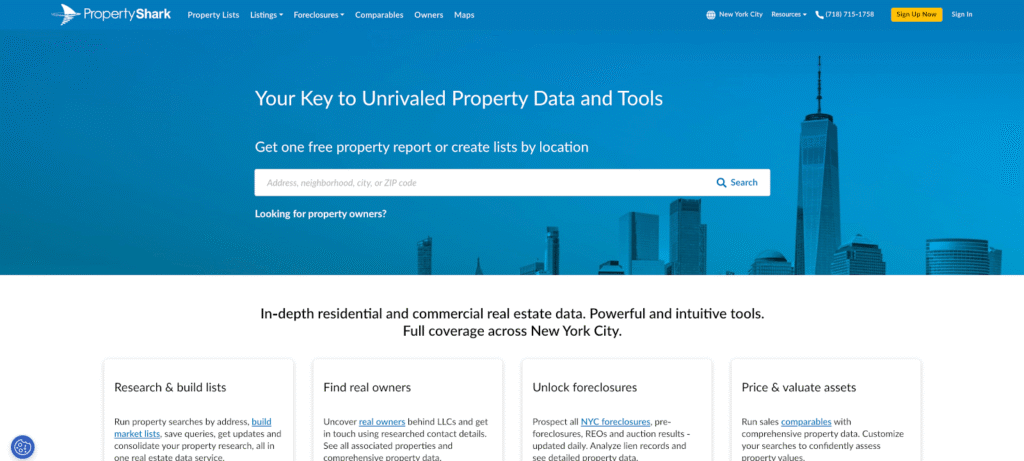
PropertyShark started as a real estate research platform. Violations are one piece of a much larger data puzzle that includes sales history, ownership records, and market analytics. The platform aggregates DOB violations alongside property financials, zoning details, and comparable sales data. You get context that government databases never provide.
What PropertyShark Offers Beyond Violations
PropertyShark pulls together multiple data sources into searchable property reports. You can access:
- Open and closed DOB violations with classification types
- OATH/ECB summons links and hearing details
- Related compliance documents and their current status
- Property sales history and transaction records
- Ownership information with deed transfers
- Tax assessments and exemption status
- Zoning regulations and permitted uses
- Building permits and alteration history
The violations section shows up within a comprehensive property profile. You’re not looking at violations in isolation but alongside the financial and legal context that helps you assess risk.
How the Search Process Works
Create a free account at PropertyShark to start searching. The platform requires registration before you can view detailed reports. Use the search bar to enter an address, block/lot number, or parcel ID. PropertyShark returns a property overview page with tabs for different data categories.
Click the “Violations” tab to see DOB violations organized by date and type. Each violation links to supporting documents when available.
Pro tip: PropertyShark saves you from bouncing between multiple city websites. The consolidated view means you can review violations alongside ownership changes, mortgage records, and sales comparables in one report.
Pricing Structure and Access Limits
PropertyShark operates on a subscription model with tiered pricing.
- The Pro plan starts at $59 monthly (billed annually at $50/month) and includes 175 property reports per month. You get value estimates, ownership info, downloadable lists, sales and lien data, FAR calculations, violations, and zoning details.
- The Elite plan costs $79 monthly (billed annually at $66/month) and bumps you to 200 property reports. You get all Pro features plus foreclosure data, pre-foreclosure listings, bank-owned properties, auction details, and advanced mortgage data.
- The Platinum plan runs $169 monthly (billed annually at $141/month) with 250 property reports. This tier adds real owner identification behind LLCs, direct phone numbers, list export capabilities, conversion feasibility scoring, and people search functionality.
Free accounts let you browse limited property details but lock full violation reports behind the paywall. You can see that violations exist, but you can’t view specifics without subscribing.
Where PropertyShark Fits Your Workflow
PropertyShark works best for professionals who need violations plus market intelligence. If you’re underwriting deals, researching comps, or conducting due diligence on acquisitions, the bundled data saves time.
For pure violation monitoring across a portfolio? PropertyShark gets expensive. You’re paying for features you might not need if your only goal is tracking compliance issues. The platform also focuses heavily on DOB violations. HPD, FDNY, DEP, and other agencies, and the violations get less attention. You’ll still need to check additional databases for complete coverage.
Method 4: Super
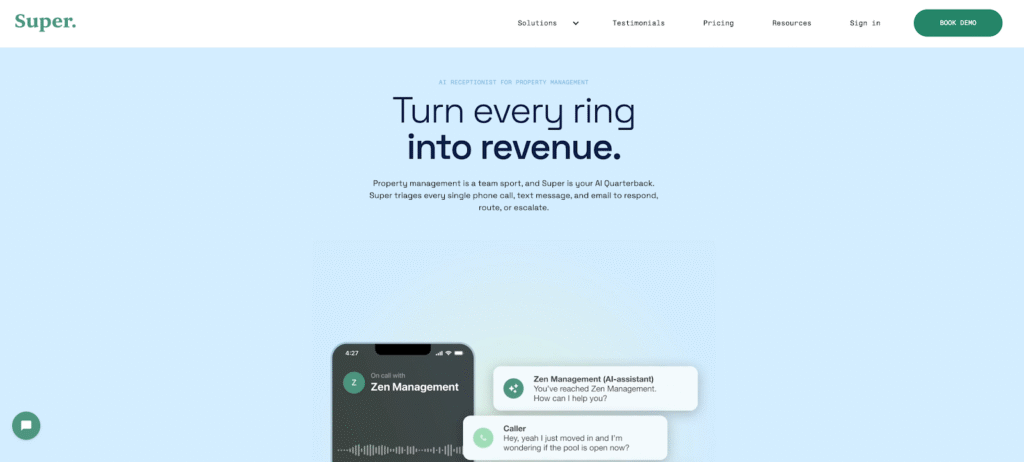
Super positions itself as an AI phone service for property management companies. Violations show up as part of their broader tenant communication and maintenance tracking system. This isn’t a violation lookup tool. It’s a property management platform that happens to surface violation data alongside work orders, tenant requests, and maintenance schedules.
What Super Actually Provides
Super uses AI to handle tenant calls and route maintenance requests. The platform tracks building issues that could trigger violations before they become official complaints.
You get:
- Automated tenant call handling and triage
- Work order creation and vendor dispatch
- Maintenance history tied to specific units
- Building compliance tracking
- Integration with property management software
Violation data appears within the maintenance workflow. If a tenant calls about heat or a broken elevator, Super flags potential HPD or DOB violations that could result from delayed repairs.
How Violation Tracking Works in Super
Super doesn’t replace government databases. The platform monitors tenant complaints and maintenance patterns that predict violations rather than pulling violation records directly from city agencies.
You set up your properties in Super’s system. The AI monitors incoming calls and logs issues. If patterns emerge that match common violation triggers (no heat complaints, water leaks, electrical problems), Super alerts you before an inspector shows up.
The system also integrates with existing violation databases if you connect it to your workflow. But you’re not searching for violations the way you would in BIS or PropertyShark. You’re monitoring compliance risk in the context of day-to-day operations.
Pricing and Target Users
Super operates on a usage-based pricing model starting at $250 monthly for the Rollover Plan. This includes customizable AI message intake, a dedicated phone line, basic FAQ training, emergency escalation, rapid onboarding, and basic support. Unused minutes roll over month to month with a packaged-by-minutes-afterwards structure.
The 24/7 Plan costs $415 monthly and provides a front desk receptionist available around the clock for every inquiry. You get phone, SMS, and email AI handling, a dedicated phone line, AI transfers and routing, concierge onboarding, premium support, PMS contact sync, and PMS work order sync. This plan includes 1,000 minutes with unlimited email and SMS at volume pricing afterwards.
Custom plans exist for larger portfolios or multiple offices. You’ll need to contact Super directly for pricing on high-volume accounts.
When Super Makes Sense
Super fits property management companies handling hundreds of units with high tenant interaction. The AI phone system reduces staffing costs while catching maintenance issues early. For violation lookups on individual properties? Super doesn’t solve that problem. You need active property management operations to get value from the platform.
The tool works best when you already manage properties and want to prevent violations through better maintenance tracking. If you’re researching violations for due diligence or portfolio monitoring, Super won’t give you the historical data you need.
You’re still checking BIS, DOB NOW, or a dedicated violation platform for actual compliance records. Super helps you avoid future violations by improving response times to tenant issues.
Method 5: ViolationWatch
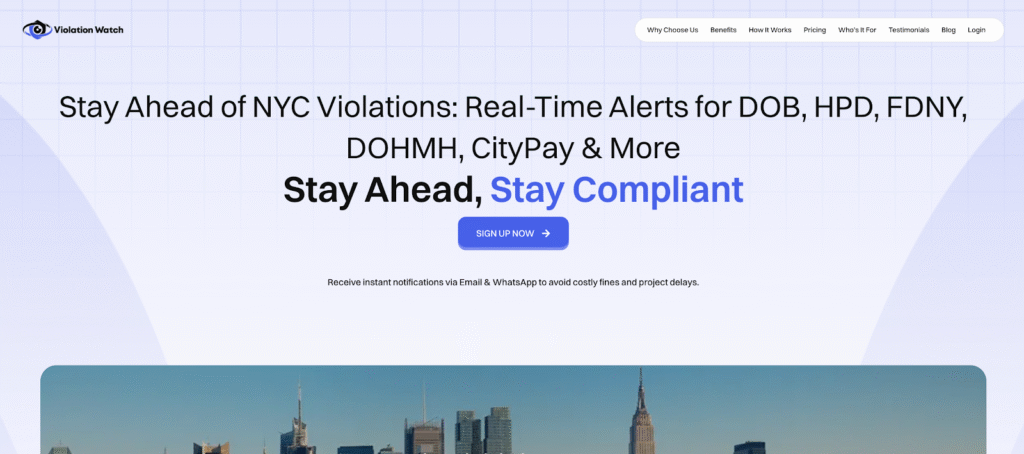
You’ve checked BIS. You’ve logged into DOB NOW. You’ve paid for PropertyShark. And you’re still clicking through five different databases to search violations across the NYC Department of Buildings, housing preservation, and other city agencies tied to your NYC property. That fragmented process hides unresolved violations, delays visibility into fire safety violations, and leaves you exposed to immediately hazardous violations that should never go ignored.
ViolationWatch solves the problem every other platform overlooks. One dashboard. All 10 agencies. Automated tracking that updates itself. You stop relying on scattered tools for property transactions, outdated inspection reports, and missed enforcement tied to local building codes, local law, or core safety standards.
What Makes ViolationWatch Different
ViolationWatch pulls violation data from DOB, HPD, ECB, FDNY, DEP, DEC, DOH, DOT, DSNY, and DOF into a single interface. You see everything from open DOB violations to NYC ECB violations online without switching systems or chasing fragmented updates tied to your property address or broader property profile overview.
The platform monitors your assets continually. When new issues appear, including risks linked to property liens or escalating enforcement requiring administrative trials, you receive immediate alerts. That support helps you maintain compliance and respond appropriately before a legal notice arrives.
How the Free Lookup Tool Works
No account required. No credit card. No registration wall. Enter your property address and run a rapid property search across all 10 agencies.
You’ll see:
- Total violation count across all agencies
- Breakdown by agency and violation type
- Current status for each violation
- Issue dates and filing details
- ECB case numbers and hearing information
- Direct links to source documents
The tool surfaces historical violations alongside current enforcement, so you gain context before entering negotiations or evaluating new property transactions. This free tool beats every government portal for speed. BIS takes 30 seconds to load a building profile. ViolationWatch returns multi-agency results in under 5 seconds.
Pro tip: Bookmark the lookup tool for quick checks during due diligence calls or when tenants mention inspection notices. You can verify violations faster than pulling up BIS.
The Full Platform for Portfolio Management
The free lookup tool handles one-off searches. The full ViolationWatch platform turns violation monitoring into an automated system for your entire portfolio.
- Unified Violation Dashboard: Add all your properties once. ViolationWatch tracks them continuously. Open your dashboard and see violation counts, status changes, and upcoming hearings across your entire portfolio. Color-coded cards show you what needs attention right now. Open violations appear in red. Resolved violations turn green. Pending actions show in yellow. Active monitoring addresses are displayed in blue. You can drill down into individual properties or view portfolio-wide compliance at a glance. No switching between property management software, government databases, and email alerts.
- Instant Violation Notifications: ViolationWatch checks agency databases multiple times daily. When new violations appear, you get alerts immediately to your phone and email. You choose who receives notifications. Set up multiple contacts per property. Route DOB violations to your contractor. Send HPD violations to your super. Loop in your compliance team for ECB summonses. The system includes hearing dates, correction deadlines, and penalty amounts in every alert. You see what action you need to take without logging into the dashboard.
- Automated Status Tracking: Violations don’t stay static. Inspectors return. ECB judges issue decisions. Correction notices get filed. Fines get paid. ViolationWatch updates status automatically as agencies process changes. You’re not manually checking BIS every week to see if a violation got dismissed. The dashboard reflects the current status without any input from you. This automation cuts hours from weekly compliance reviews. You’re only looking at violations that actually require action instead of rechecking closed issues.
- Comprehensive Reports and Analytics: Generate violation reports filtered by property, agency, date range, or status. Export data for insurance renewals, lender requests, or internal audits. The analytics view shows compliance trends across your portfolio. You can spot properties with recurring violations, identify common violation types, and track resolution timeframes. This data helps you allocate maintenance budgets more accurately and catch systemic issues before they become expensive patterns.
- Integrated Document Management: Upload correction certificates, contractor invoices, ECB responses, and inspection photos directly into each violation record. Everything lives in one place instead of being scattered across email threads and shared drives. When an agency requests proof of correction, you’re pulling documents from the violation details page instead of searching through folders. Faster responses mean fewer hearing delays and reduced penalties.
- Expert Compliance Guidance: ViolationWatch includes access to compliance professionals who understand NYC violations. You’re not decoding cryptic DOB notices alone. Get help interpreting violation descriptions, understanding correction requirements, and planning resolution strategies. The support team can walk you through ECB hearing prep or connect you with qualified contractors for specific violation types. This guidance matters when you’re dealing with Class 1 hazardous violations or complex construction-related issues that carry heavy fines.
- Scalable for Any Portfolio Size: ViolationWatch works for single-property owners and city-wide management companies. The platform scales without forcing you into rigid pricing tiers that penalize growth. Add properties as you acquire them. Remove properties when you sell. Adjust monitoring preferences per building. The system adapts to your portfolio instead of making you fit into preset packages.
- Streamlined Resolution Workflows: ViolationWatch doesn’t stop at tracking. The platform guides you through resolution steps based on violation type and agency requirements. You get checklists for common violations, links to required forms, and deadlines for each action item. The system tracks where you are in the resolution process and reminds you of upcoming steps. This workflow support reduces the chance you’ll miss a correction deadline or forget to file proof with the right agency.
Pricing That Makes Sense
ViolationWatch starts with a free trial. No credit card required. You can test the full platform with your actual properties before committing. Paid plans run $9.99 per address monthly. You’re paying per property, not per user or per violation. Add properties, enter the street name, and your search results pull in consolidated public data from DOB, HPD, FDNY, and other sources that support an essential step toward compliance.
This clarity helps you stay ahead of risks tied to illegal construction, unpermitted work, missing necessary permits, and hazards like lead paint. Instead of reacting to court hearings or ECB judgments, you rely on instant alerts supported by expert guidance and structured correction procedures aligned with the issuing unit and the office of administrative trials.
Compare that to PropertyShark’s $59+ subscriptions that sidestep HPD online, overlook administrative trials and hearings, and fail to reduce exposure to civil penalties tied to costly delays. ViolationWatch simplifies monitoring for owners juggling many responsibilities, improves staying informed, and helps you avoid costly surprises with a clear step-by-step guide that keeps properties protected and fully monitored.
Skip the Database Shuffle and Track Violations Automatically
You now know the five main ways to check NYC building violations online. BIS gives you raw DOB data but nothing else. DOB NOW redirects you back to BIS. PropertyShark bundles violations with real estate intel you might not need. Super focuses on maintenance workflows instead of pure compliance tracking.
Here’s what actually moves the needle when you’re managing violations across multiple properties:
- BIS and DOB NOW only cover Department of Buildings violations, while HPD, FDNY, ECB, DEP, DOT, DSNY, DOF, DOH, and DEC violations live in separate databases that you need to check manually
- PropertyShark costs $59 to $169 monthly for subscription tiers that include features like foreclosure data and owner lookups, when you only need violation tracking
- Free government portals don’t alert you to new violations, so you’re manually checking back weekly or discovering issues only after fines escalate
- Manual searches across 10 agency databases waste hours every week that could go toward actually resolving violations instead of hunting for them
- The free ViolationWatch lookup tool returns multi-agency results in under 5 seconds, compared to BIS loading times that stretch past 30 seconds per property
ViolationWatch consolidates almost all NYC agencies into one dashboard with automated monitoring that alerts you the moment new violations appear. You’re not checking multiple portals. You’re not wondering if something changed. The system tracks your properties continuously and tells you what needs action.
Start with the free lookup tool to see how fast violation searches should work. For portfolio-wide monitoring with automated alerts and status updates, the full platform runs $9.99 per address monthly.If you have any questions about your specific portfolio? Reach out to the ViolationWatch team at 433 Broadway #220, New York, or call +1 347-201-2336. They’ll walk you through setup and show you exactly how much time automated tracking saves compared to manual database checks.